MICROSOFT SHIPS GA "COMPUTER USE" AGENTS IN COPILOT STUDIO FOR UI-DRIVEN AUTOMATION
Microsoft Copilot Studio’s computer-use agents are now GA, letting AI operate UIs to automate systems that don’t have APIs. Microsoft’s “computer use” in Copil...
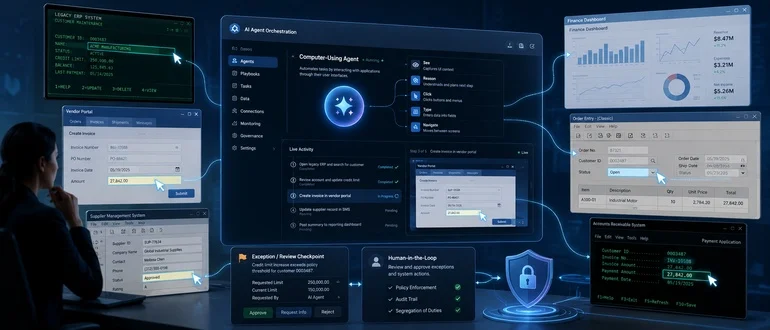
Microsoft Copilot Studio’s computer-use agents are now GA, letting AI operate UIs to automate systems that don’t have APIs.
Microsoft’s “computer use” in Copilot Studio is generally available, bringing vision-driven, UI-operating agents to the Power Platform so teams can automate legacy portals and LOB apps without APIs DevOps.com. This moves RPA-style work from brittle selectors to agents that can read the screen, reason about state, and adapt to layout changes.
If you try this at scale, your delivery model must evolve. Pipelines need guardrails for non-deterministic agents DevOps.com and outputs should be schema-validated to avoid downstream breakage Grok structured outputs.
You can finally automate high-volume, no-API workflows by letting agents operate real UIs with vision and reasoning.
This pressures CI/CD, observability, and governance to handle non-deterministic runs, auditability, and human-in-the-loop exceptions.
-
terminal
Pilot one high-volume portal task with computer use; measure completion rate, time saved, exception rate, and rework after UI changes.
-
terminal
Enforce schema-constrained outputs and prompt versioning end-to-end; verify downstream systems never see malformed or backticked JSON.
Legacy codebase integration strategies...
- 01.
Target brittle RPA scripts and vendor portals first; gate with confidence thresholds, audit logs, and human review for low-confidence steps.
- 02.
Run agents in a locked-down workstation profile; record sessions, scrub PII, and validate identity/role mapping before write actions.
Fresh architecture paradigms...
- 01.
Design workflows around structured outputs and idempotent steps; treat context snapshots as contracts before any state change.
- 02.
Build agent runs as event-sourced executions with retries, compensations, and clear SLAs for latency and exception handling.
Get daily MICROSOFT + SDLC updates.
- Practical tactics you can ship tomorrow
- Tooling, workflows, and architecture notes
- One short email each weekday